
Introduction
You have a favorite photo. Maybe it is a portrait of your dog, a picture of your grandkids, or a beautiful landscape from your last vacation. You think it would look amazing stitched onto a pillow or a jacket. So you upload it to a digitizing service or run it through software, and the result is... disappointing. The colors are muddy, the details are lost, and the whole thing looks like a blurry mess of thread. What went wrong? The answer is simple. Not every photo is suitable for embroidery. What photos work best for embroidery designs comes down to a few key characteristics, and understanding them will save you time, money, and frustration.
Embroidery is a completely different medium from photography. It uses thread, not pixels. It creates texture, not smooth gradients. The images that translate beautifully into stitches share certain qualities. The ones that fail usually have too much detail, too many colors, or not enough contrast. This guide will help you look at your photos with an embroiderer's eye, so you can choose images that will actually stitch well.
Why Photos Are Tricky for Embroidery
Let us start by understanding the challenge. A photograph captures millions of colors and subtle transitions between light and shadow. It shows gradients, soft edges, and fine details. Embroidery does not do any of these things well.
Thread comes in a limited palette of solid colors. You cannot blend thread the way you blend paint or pixels. When you stitch two different colored threads next to each other, your eye might mix them from a distance, but up close they remain distinct. This means photographs with subtle color variations often turn into muddy, confusing stitch-outs.
Embroidery also works with distinct shapes. Each color area needs a clear boundary. In a photograph, the boundary between a shadow and a highlight might be gradual. In embroidery, that boundary becomes a hard line. If the digitizer is not careful, the design looks flat and unnatural.
Finally, embroidery has physical thickness. Thread sits on top of the fabric. Too many stitches in one area create a stiff, bulky patch. Fine details like eyelashes, whiskers, or small text can disappear entirely under the thread. This is why simple, bold images work so much better than complex photographs.
What Makes a Photo Suitable for Embroidery
So what should you look for? Here are the key characteristics of a photo that will digitize and stitch well.
Strong Contrast
The best photos for embroidery have strong contrast between light and dark areas. Think of a black and white portrait with dramatic lighting. The clear separation between light and shadow gives the digitizer distinct shapes to work with. Low-contrast photos with soft, even lighting tend to look flat and washed out in stitches.
Simple Backgrounds
A busy background competes with your subject. If you want to embroider a portrait of your dog, a photo with a plain wall or a blurred outdoor background works much better than one with a cluttered living room behind it. The digitizer can focus on the main subject without having to decide what to do with all the background noise.
Clear Subject
The main subject should be obvious and well-defined. Close-up shots work better than wide shots where the subject is small. If you have to squint to see the face in the photo, the embroidery will not capture it either.
Limited Colors
Photos with a limited color palette are easier to digitize. A sepia-toned or black and white photo is often easier to work with than a full-color image with dozens of shades. If you love a color photo, consider converting it to black and white or a duotone before digitizing. The result is often more striking and stitches much cleaner.
Bold Shapes
Look for photos where the main elements have bold, clear shapes. A silhouette of a person against a sunset, a single flower against a plain background, or a pet's face with distinct markings all work well. Fine, intricate patterns like lace or foliage tend to get lost in thread.
Photos That Usually Fail
Now let us talk about the types of photos that usually produce disappointing embroidery.
Low-Resolution Images
If the photo is pixelated or blurry when you zoom in, it will be pixelated and blurry in stitches. Always start with the highest resolution image you have.
Photos with Busy Backgrounds
As mentioned, cluttered backgrounds create visual noise. The digitizer cannot stitch every leaf and branch. The result is a messy design with no clear focal point.
Low-Contrast Photos
Photos taken in flat, even lighting without strong shadows often lack the definition needed for embroidery. The digitizer struggles to separate shapes, and the final design looks flat.
Photos with Lots of Fine Detail
Group photos, distant landscapes, and images with small text or intricate patterns are extremely difficult to digitize well. The details disappear, and the design becomes an unrecognizable blob.
Photos with Gradients
Sunset skies, smooth skin tones, and soft shadows all involve gradients. Embroidery cannot replicate these smooth transitions. The digitizer has to approximate them with solid color blocks, which often looks harsh and unnatural.
How to Prepare Your Photo for Embroidery
If you have a photo you love but it is not quite right for embroidery, you can often improve it with some simple editing before sending it to a digitizer.
Start by converting the image to black and white or a limited color palette. This simplifies the design and increases contrast. You can always add color back in the digitizing software if needed.
Increase the contrast. Use photo editing software to make the darks darker and the lights lighter. This creates clearer shapes for the digitizer to work with.
Remove the background. Use a background removal tool or manually erase the background in an image editor. This isolates your subject and eliminates visual noise.
Simplify the details. If your photo has fine details that will not translate well, consider using a filter that creates a posterized or stencil-like effect. This reduces the number of colors and creates bold, stitchable shapes.
Crop tightly. Focus on the most important part of the image. A close-up of a face stitches much better than a full-body shot where the face is tiny.
How Photo Stitching Works in Practice
Some advanced embroidery software includes photo stitching features that automatically convert photographs into embroidery. These tools analyze the image and create stitch patterns that approximate the photo. However, the results vary widely depending on the software and the complexity of the image.
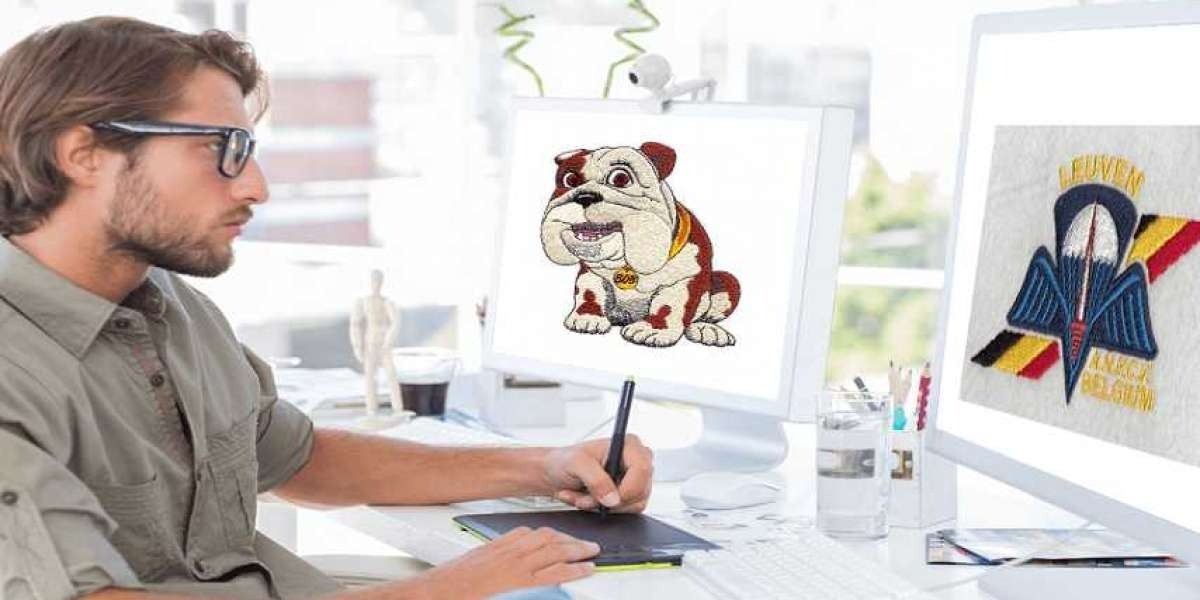
The best results come from manual digitizing, where a skilled digitizer interprets the photo and makes creative decisions about how to represent it in thread. They simplify, stylize, and emphasize the elements that matter most. The final embroidery is not a literal copy of the photo. It is an artistic interpretation.
This is why managing expectations is so important. Your embroidered portrait will not look exactly like your photograph. It will look like an embroidered portrait. And when done well, that can be absolutely beautiful.
Conclusion
Choosing the right photo for embroidery is the first step toward a successful stitch-out. Look for images with strong contrast, simple backgrounds, clear subjects, and limited colors. Avoid low-resolution images, busy backgrounds, and photos with lots of fine detail or smooth gradients.
If your favorite photo does not fit these criteria, do not despair. With some simple editing, you can prepare almost any image for better embroidery results. Convert to black and white, boost the contrast, remove the background, and simplify the details.
And remember, the goal is not to replicate the photo perfectly. The goal is to create a beautiful embroidery that captures the spirit of the image in thread. Embrace the stylized, textured nature of embroidery, and you will create pieces that are truly one of a kind.